Workshop research
Free
Save text, links, and images to Google Sheets.
$0 / forever
5 configured columns · 1 keyboard shortcut
Right-click a detail on any webpage and save it
straight to your Google Sheet.
 Add to Chrome













Save web content to Google Sheets. Without switching tabs.
 Select a fileVendor outreach
Project budget
Reading list
Sign in with Google, then choose which spreadsheets Add to Sheets can use. The extension only has access to the files you select.
Vendor outreachChoose a sheet and column, then give the destination a name you’ll recognize when you right-click.
Select an email, right-click, and choose Add to Sheets → Vendor emails to save it to column B.
Save research notes, compare prices, and keep track of contacts as you browse.

Save selected text from articles and posts as research notes.
| 1 | Source | Saved note | Topic |
|---|---|---|---|
| 2 | Room guide | Six tables seat four people each. | Seating |
| 3 | Equipment list | The projector takes HDMI. | Equipment |
| 4 | Access guide | Step-free entry on Mill Lane. | Access |
| 5 | Booking FAQ | Room hire includes 30 minutes for setup. | Timing |

Collect product links and prices to compare in a spreadsheet.
| 1 | Product | Product link | Price |
|---|---|---|---|
| 2 | Clip lamp | parcel.example/clip | $32.00 |
| 3 | Reading lamp | fieldwork.example/beam | $54.00 |
| 4 | Task lamp | parcel.example/task | $75.00 |
| 5 | Pivot desk lamp | formsupply.example/pivot | $68.00 |

Save an email from a website and keep track of who to follow up with.
| 1 | Company | Status | |
|---|---|---|---|
| 2 | Parcel Room | [email protected] | Contacted |
| 3 | Luma Tile | [email protected] | Replied |
| 4 | Northline Audio | [email protected] | Follow up |
| 5 | Form Supply | [email protected] | New |
Pro
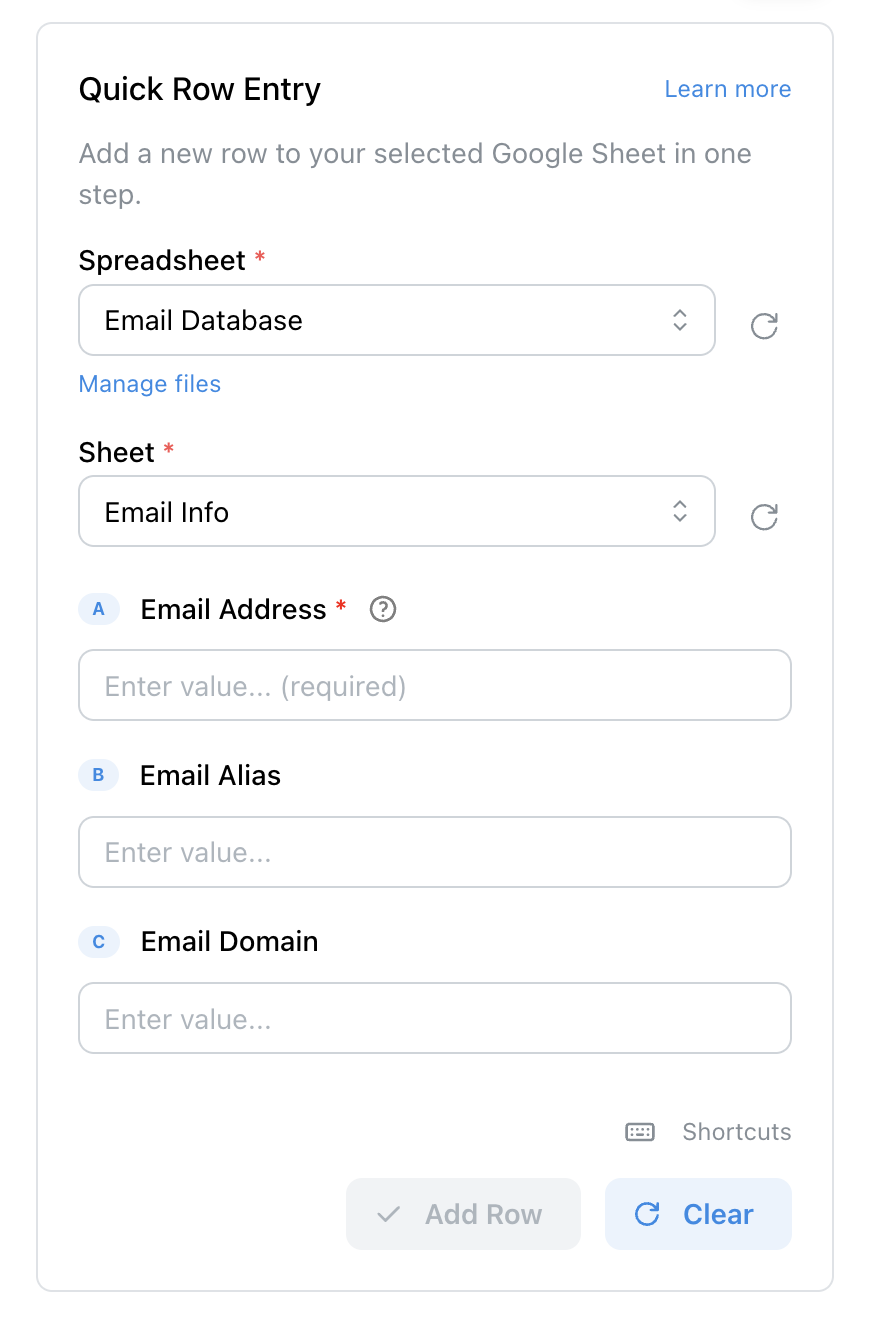
Quick Row Entry creates a form from your sheet’s column headers. Fill in the fields to add a complete row, such as a contact, product, or travel booking.
Explore Pro
ContactsSheet preview| A | B | C | |
|---|---|---|---|
| 1 | Company | Notes | |
| 2 | Form Supply | [email protected] | Ask about trade pricing |
Pro
Find email addresses, links, or image URLs on the current webpage. Review and edit the matches, then save them together to the Google Sheets column you choose.
Explore Pro
Contact emailsSheet preview| A | |
|---|---|
| 1 | |
| 2 | [email protected] |
| 3 | [email protected] |
| 4 | [email protected] |
Using Automations? View the documentation or contact support.
Both plans include unlimited saved rows.
Save text, links, and images to Google Sheets.
5 configured columns · 1 keyboard shortcut
Add more destinations and tools for entering data.
Or $40 per year. Includes Quick Row Entry and the Email & Link Finder.
Save text, links, and images from webpages to the sheet you choose.
Install the free extension and connect your first spreadsheet.
Add to Chrome
We don’t store your spreadsheet data on our servers. Privacy details